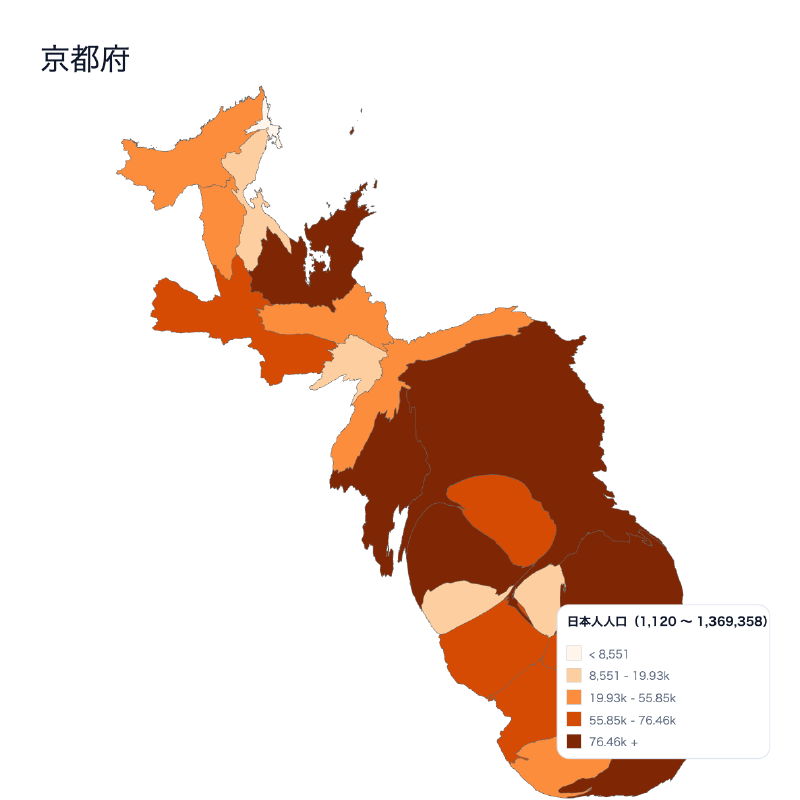

What is this tool?
A web-based tool that lets you easily create cartograms reflecting statistical data for each municipality within a selected prefecture. A cartogram is a type of thematic map that distorts the area and shape of regions on a map according to statistical values (such as population, votes, or other indicators). It visually highlights regional differences and disparities that are hard to see on a standard map.
Features
- Prefecture map cartogram generation: Displays regions such as municipalities with their areas distorted according to statistical values.
- Data value reflection: Map shapes change based on the data you input.
- Ranking mode: Automatically generates ranking data sorted by value in descending order. Ranking data can be used for color coding.
- Interactive display: Browse and interact with the map on the web.
- Export as PNG or SVG images
How to use
- Specify your data…Upload or enter numerical data by region in CSV format (e.g., population, GDP, vote counts).
- Generate the cartogram…Based on the specified statistical values, a distorted cartogram of the prefecture map is generated and displayed on screen.
- Adjust and review…Adjust parameters (color, degree of distortion, region label display, etc.) as needed and review the results.
Data formats
- Tabular data (CSV)