
What is this tool?
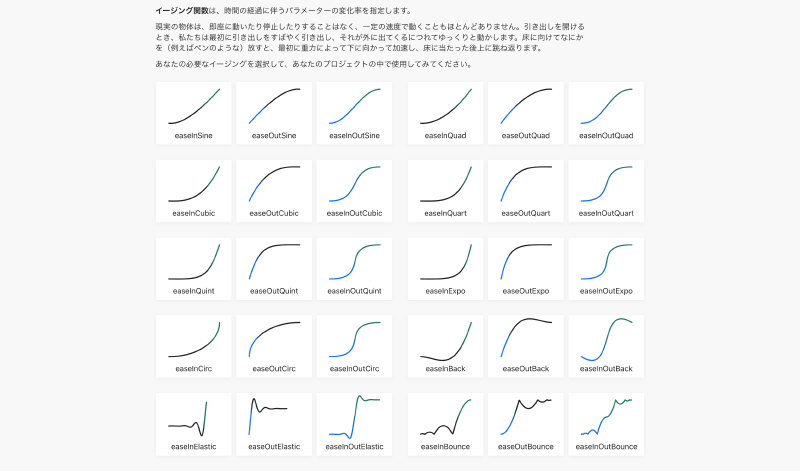
A reference site that catalogs “easing functions” – which describe how values change over time in animations and transitions. You can visually compare and select various easing behaviors (acceleration, deceleration, bounce, etc.). Easing functions define the rate of change that gives animations a natural feel.
Features
- Easing function catalog…Browse a wide range of easing functions (e.g., easeInSine, easeOutBounce) in a list view.
- Visual comparison with graphs…See how each function changes over time (t) displayed as a graph.
- CSS and code examples…Includes information showing how to use each function as CSS Transition / Animation or in code.
- Real-time preview…A UI that lets you visually confirm the motion of your selected function.
How to use
- Select a function…Click or select the desired easing function from the list.
- Review the behavior…Compare how values change using the graph and preview of the selected function.
- Apply to your project…Copy the function name or code and paste it into your animation library or CSS Timing Function.